I Audit Google Ads Accounts Every Week - These Are the 5 Mistakes I Find in Almost Every One
I audit Google Ads accounts every single week. Some weeks I do five or six. And after 19 years of doing this, I can tell you something that still surprises people: the same mistakes show up in almost every account I open.
It does not matter whether it is a law firm spending thousands a month, a beauty salon trying to fill appointments, or a pet services business building a local client base. Different industries. Different budgets. Completely different markets. Same problems.
This is not a theoretical checklist. These are the things I actually find, in real accounts, with real money being wasted. I found all five of them in audits I carried out just this month alone, across three completely unrelated businesses. If you have ever wondered why your Google Ads are not working the way you expected, there is a very good chance at least one of these is the reason.
If you would like me to take a look at your own account, you can book a free audit here. Or if you prefer to do your own first, here is my complete PPC audit checklist.
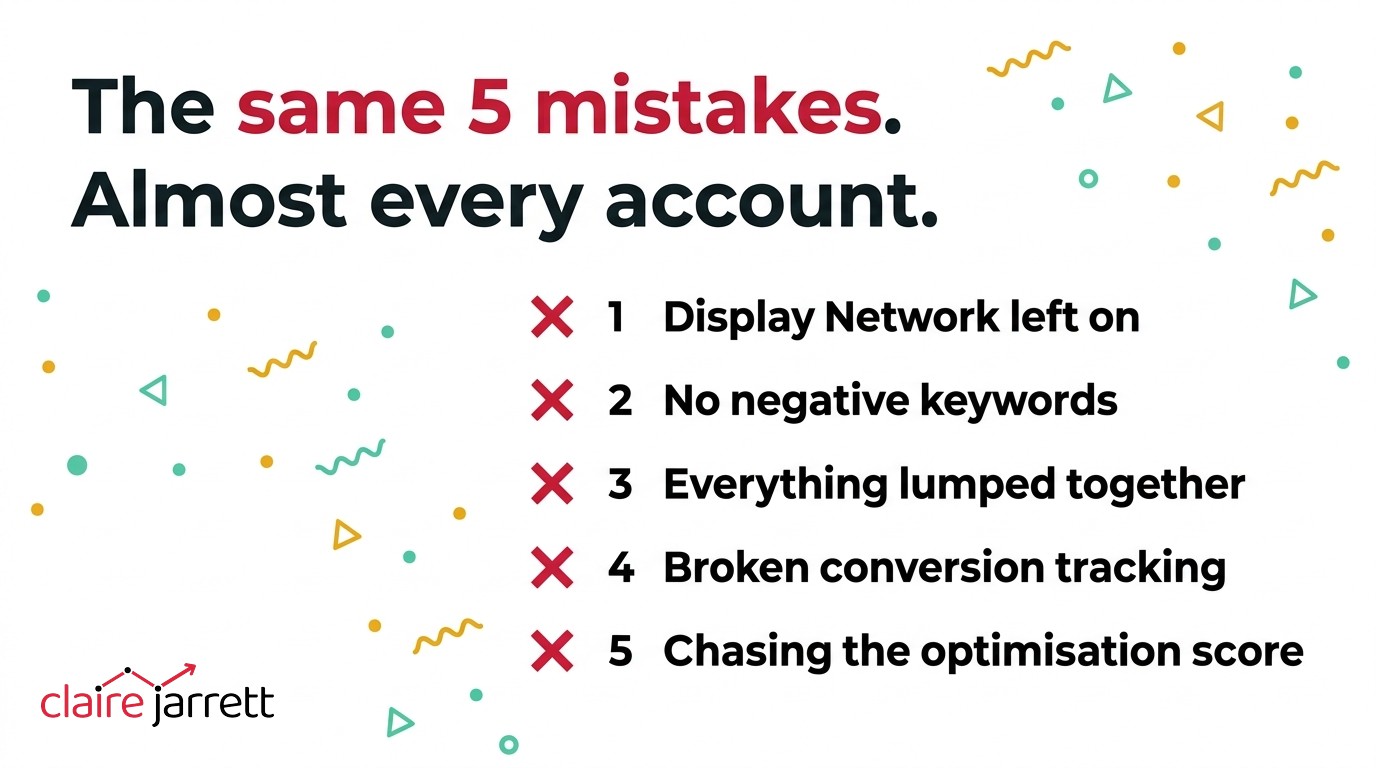
1. The Display Network Is Quietly Draining Your Budget
This one I can spot before I have even clicked into the campaign. The campaign icon tells me instantly. If it does not look like a standard search campaign icon, the display network is on — and that is almost always a problem.
Here is what happens. Someone sets up what they think is a search campaign. But during setup, Google leaves the display network ticked on by default. Now your search campaign is not just a search campaign anymore. Your ads are showing across random websites, apps and YouTube placements — none of which your potential clients are actively searching on.
It gets worse when you combine this with an automated bidding strategy like maximise conversions. Google starts optimising for the cheapest possible conversions, which often means spam leads from the display network. I have seen pet services businesses getting completely fraudulent form submissions. I had a client once running sailing holidays — they were getting phone calls from people trying to reach the Coast Guard. Nothing to do with sailing holidays whatsoever.
In one account I audited this month, the display network was on, search partners were on, and the campaign was set to maximise conversions with a $2 CPA target. For a legal services campaign. Those are not real conversions at $2 each. They are junk.
The fix is simple. Turn off the display network and search partners on every search campaign. Always. If you want to run display ads, set up a separate display campaign with its own budget and targeting. Never let them share space with your search campaigns.
2. No Negative Keywords (Or Not Nearly Enough)
Every single account I audit has this problem. Either there are zero negative keywords, or there is a small handful that barely scratches the surface.
In one beauty salon account, there were 1,913 search terms over the life of the campaign. The vast majority of them were completely irrelevant — people searching for DIY lash kits, cheap alternatives, how to do it at home. All of those clicks were eating the budget, and almost none of them had been excluded. The wasted spend isn’t even the worst part: every wrong-fit click that converts is teaching Google to send you more of the same.
A legal services account was appearing for completely unrelated injury types and random lawyer queries that had nothing to do with the specific area of law they practised. The client had actually been diligent and added 209 negatives themselves — but the campaign structure was so poorly set up that it defeated the effort.
A pet services business was appearing for “puppy training near me.” Sounds relevant, right? Except those people are looking for six-week socialisation classes and group puppy sessions. This particular business specialises in intensive behaviour training and board-and-train programmes. Completely different intent, completely different price point, completely different customer.
Here is a quick win if you want to tackle this right now. Go to your search terms report, download the full list, upload it to ChatGPT, and say: “I only offer [your specific service]. Can you identify all the search terms here that are irrelevant so I can add them as negative keywords?” It takes about ten minutes and it will save you a fortune. Just be clear on the line: that is AI doing the labour for you, not the judgement — which is exactly where AI helps with your Google Ads and where it quietly costs you.
3. Keyword Intent Mismatch — Everything Lumped Together
This is the most damaging mistake I see. And it is the most common.
What typically happens is someone puts all their keywords into one campaign, maybe one or two ad groups, and writes a single generic ad to cover everything. The problem is that different keywords represent completely different types of customer intent — and they need completely different ads and landing pages.
Take the pet services business I audited. They had “dog behaviourist,” “dog training near me,” “board and train,” and “aggressive dog training” all mixed together. But someone searching for “dog training near me” is probably looking for a local group class — maybe a six-week programme for their new puppy. Someone searching for “dog behaviourist” wants an individual specialist. Someone searching for “board and train” is prepared to send their dog away for weeks and pay significantly more. These are entirely different customers with entirely different willingness to pay.
The beauty salon had the same problem. UV lashes, hybrid lashes, mink lashes, and “lash studio near me” all sat in one ad group with one generic ad. Each of those services deserved its own ad group, its own tailored ad copy, and ideally its own landing page.
My recommendation in every case is the same: split your services into separate campaigns with individual budgets. For the pet services business, I suggested 20% of the daily budget to the generic local dog training keywords, and 40% each to board-and-train and aggression/reactivity — because those are the services that actually convert into paying clients.
A good rule of thumb: if you cannot fit all the keywords in an ad group into a single ad that genuinely speaks to every one of them, you have got it set up wrong. That is the point where you need to split. If you are not sure how, here is my guide on how to set up a basic Google Ads campaign properly from the start.
4. Conversion Tracking That Does Not Actually Track
In 19 years, I have never taken over an account where the conversion tracking was completely clean. Not one.
The beauty salon was a perfect example. They had a cookie consent banner on the site — one of those quiet little things that sits at the bottom of the page. The problem was that it was quietly blocking all tracking cookies. So Google Ads thought it was tracking conversions, but the data was unreliable at best. There were 48 booking clicks counted as conversions, but only one person actually submitted a contact form. The rest disappeared into a gap between the website and the scheduling software.
The pet services business had conversion tracking that was “working some of the time.” Some conversions were being recorded. Others were not. You cannot optimise a campaign around partial data — it is like trying to navigate with a map that is only half drawn.
And the legal services account? A $2 CPA on a legal campaign. Legal leads typically cost $50 to $200 or more. If your data says you are getting legal leads for $2 each, your tracking is not working. Full stop.
Here is the thing that makes this so damaging. Every decision you make about your campaigns — which keywords to keep, which to pause, what bidding strategy to use, how much to spend — all of it depends on your conversion data being accurate. If the tracking is broken, every decision you make from that data is wrong. And once Google’s AI starts optimising towards those broken numbers, the whole account spirals.
If you are not sure whether your tracking is set up correctly, here is my full guide to Google Ads conversion tracking.
5. Trusting Google’s Optimisation Score
I will say this as plainly as I can: pay no attention to the optimisation score whatsoever.
The optimisation score is Google wanting you to play their game. Their recommendations are designed to make them money, not you. If we aimed for 100%, we would be applying their recommendations blindly — and a lot of those recommendations are genuinely terrible for your account.
In one account I audited, every single auto-optimisation was turned on. Google was editing the ad text. Google was changing which pages the ads pointed to. Google was expanding audiences. The result? Irrelevant leads at rock-bottom prices that never converted into actual paying clients.
The auto-apply recommendations are particularly dangerous. Google rolls these out as helpful suggestions, but many of them — like automatically adding broad match keywords, expanding your targeting, or editing your ad copy — will actively hurt your performance. I always switch every single one of them off on the accounts I manage. I’ve since seen them take an account from 15 leads a day down to 2 — that full story is in the honey trap inside your Google Ads account.
Your optimisation score going up does not mean your account is performing better. I have seen accounts with a 95% optimisation score that were haemorrhaging money. And I have seen accounts with a 40% score that were generating leads profitably. The score measures how well you are following Google’s advice, not how well your campaigns are actually doing.
These Are Patterns, Not Edge Cases
I want to be clear about something. These are not unusual examples I have cherry-picked to make a point. I found all five of these mistakes in accounts I audited in a single month — and I could easily have pulled five more from the month before that.
The good news is that every one of these is fixable. And when you fix them, the improvement is usually dramatic. I have seen accounts go from wasting hundreds a month on irrelevant clicks to generating consistent, qualified leads within weeks of a proper rebuild.
If any of this sounds familiar, it is worth getting a professional pair of eyes on your account. You can book a free audit here and I will go through your account live, just like I did for the businesses in this post.
If you prefer to learn how to do it yourself, my book covers all of this and more — you can grab a free copy here.
Two ways I can help you get this right
Book a free Google Ads call and I’ll go through your account with you and tell you honestly what’s working and what isn’t.
Or register for my free masterclass — How to Overtake Your Top Google Ads Competitors in 8 Weeks.

Claire Jarrett
Google Ads consultant since 2007, published author (6 books), and Google Partner. Claire was the first person to launch Google Ads training in Europe and has helped thousands of professional service businesses scale their leads.
More about Claire