Every Wrong Lead Is Teaching Google to Send You More of Them
I onboarded a real estate closing attorney recently. He handles mobile closings for loan officers, real estate agents and title companies, and he’s built up 320-something five-star Google reviews doing it. Before we’d even turned his Google Ads back on, he told me something that made me stop and take notes.
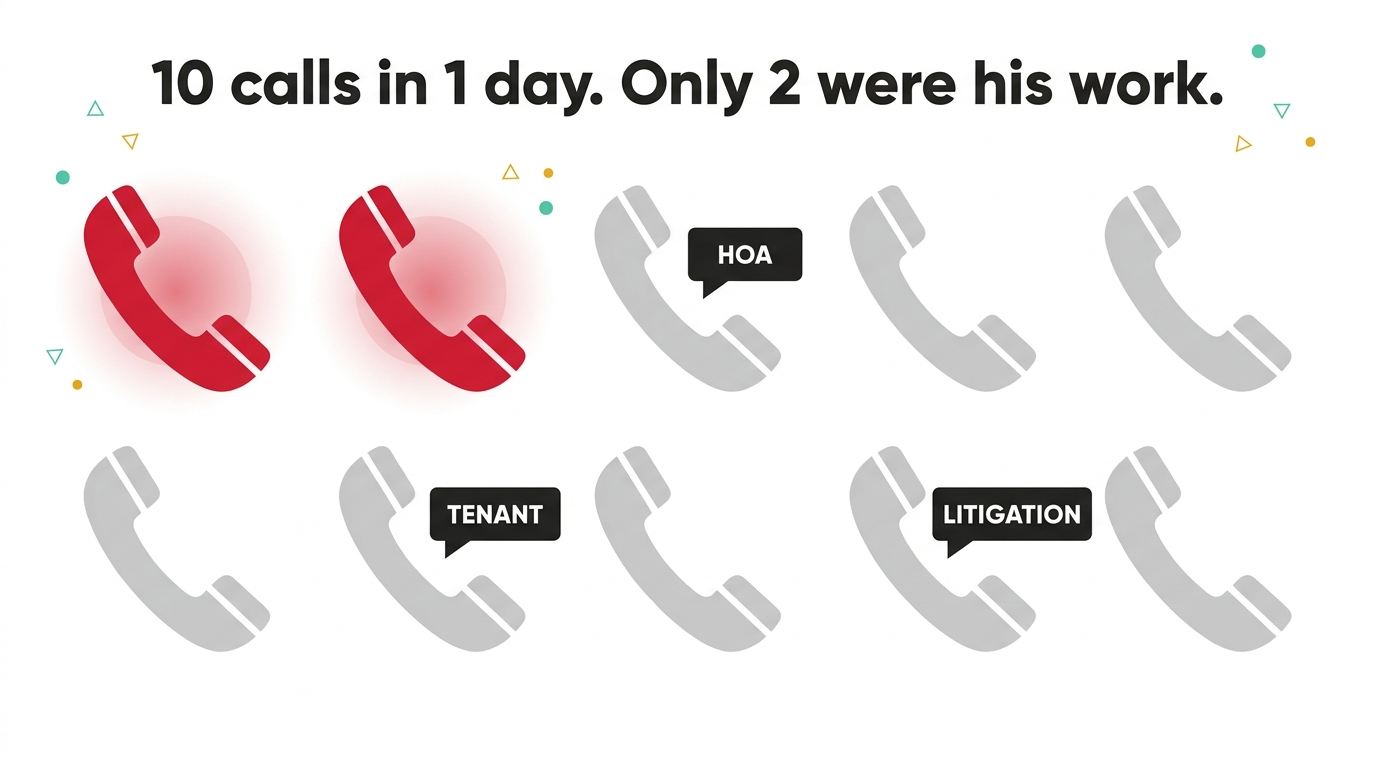
On one day alone, his phone rang 10 times off the back of his Google Business listing. Only 2 of those calls were for the work he actually does.
The rest wanted him for landlord-tenant disputes, HOA arguments and real estate litigation. Work he doesn’t touch. As he put it to me, he’s confused why these people keep calling him for issues he doesn’t handle. The answer is simple once you say it out loud: search “real estate attorney” and you get every lawyer who touches property, not just the one who closes on it. It’s a big umbrella, and everyone under it looks the same to whoever’s searching.
Google doesn’t know what a good lead looks like. It only knows what a click looks like
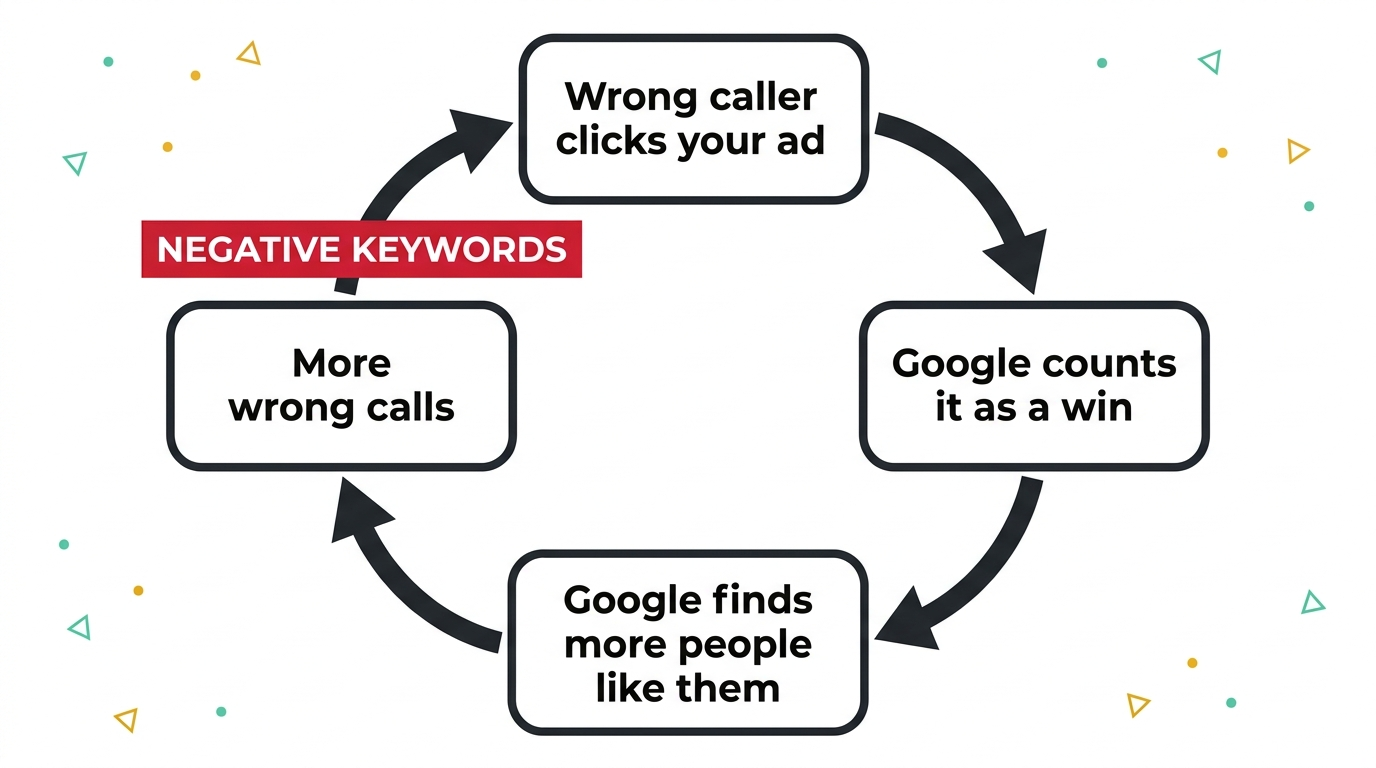
Here’s the part that matters for anyone running Google Ads, not just lawyers. Google Ads doesn’t understand your business. It understands signals: which searches led to a click, which clicks led to a call or a form fill, which of those you marked as a conversion. That’s it. That’s the whole picture it works from.
So if a landlord-tenant dispute searches “real estate attorney,” clicks your ad and calls you, Google logs a click and very possibly a conversion. Nothing in that data tells Google the call was 6 minutes of you explaining you don’t do that kind of work. To the algorithm, that looks exactly like a win, and a system built to find you more of what already “worked” will go looking for more of exactly that.
This is why an account can be busy and still be failing. Every wrong-fit click, call or form fill isn’t just wasted spend on its own. It’s a lesson, and I’ve watched that lesson compound into a full death spiral when nobody steps in to correct it. It’s also why a dashboard full of conversions can still be hiding a real number that’s nowhere near as good.
Why negative keywords have to come before the campaign, not after
For the attorney, we’re not fixing a campaign that’s already misfiring. We’re building the negative list in before the first ad ever runs, precisely because we already know what the umbrella term pulls in. That’s the difference between reacting to a mess and never making one.
“So what we’ll do is we will add negative keywords such as HOA, tenant, litigation, and those negative words will stop the ads appearing.”
That’s the whole mechanism in 1 sentence. You’re not narrowing what people can search. You’re telling Google, in advance, which parts of the umbrella term have nothing to do with you.
How to check your own account for this
You don’t need to be a specialist to run this check yourself, and it’s one of the checks I go through on every audit I run. It takes 10 minutes.
- Pull your search terms report (Campaigns > Search terms in Google Ads) and read every term that triggered a click in the last 30 days, not just the ones with the most spend. The expensive terms get watched. The cheap, frequent ones are where umbrella traffic hides.
- Ask what a term could mean to someone who isn’t you. “Real estate attorney” means one thing to you and several things to a search engine. If your service name is 1 word inside a bigger category (attorney, plumber, consultant, clinic), assume the category is pulling in everyone else who fits it too.
What good negative keyword hygiene actually looks like
The attorney’s list is specific to him, but the pattern repeats in almost every account I audit, just with different words attached to the same umbrella problem.
- Start with what you definitely don’t do. For him: HOA, tenant, litigation. For a divorce attorney it might be custody-only or mediation. For a plumber it might be DIY or parts. Name the adjacent work first, before you name a single keyword you want.
- Add negatives at every level, not just the account. Campaign-level negatives stop the obvious mismatches; ad group-level negatives stop the subtler ones where 2 of your own services are competing for the same broad term. If you want the full walkthrough, our beginner’s guide to negative keywords covers match types and where each level of negative belongs.
It’s the same quiet mechanism behind the honey trap Google sets inside your own account: left unchecked, the system always drifts toward whatever’s easiest to find, not what’s best for you.
The bigger point
The attorney’s story isn’t really about attorneys. It’s about what happens to any business whose service name sits inside a bigger, messier category. Google will happily send you every search that technically qualifies, and if you let even a few of the wrong ones convert, you’re not just paying for bad calls once. You’re teaching the system to keep finding you more of them, for as long as the campaign runs.
Building the negative list before launch is the cheapest insurance in Google Ads, and almost nobody does it, because most people don’t find out what the umbrella term catches until it’s already cost them a few months of the wrong calls. If you want a second pair of eyes on what your own umbrella term might be pulling in, run it through the ultimate PPC audit checklist, or bring it to a Google Ads consultant who’ll actually read your search terms report line by line. You know where I am.
A few questions I get asked
What are negative keywords? They’re terms you tell Google Ads NOT to show your ad for, even if they’re closely related to your actual keywords. They don’t stop people finding you, they stop the wrong people finding you through your ad specifically.
How many negative keywords should a new campaign start with? There’s no fixed number. What matters is that you’ve named every adjacent service or use case you don’t offer before launch, not after the search terms report shows you the problem. Most small accounts start with a solid list built from that exercise alone, then grow it as real search data comes in.
Can I add negative keywords myself? Yes. It’s one of the few genuinely simple jobs in Google Ads: Campaigns > Negative keywords > add the term and choose broad, phrase or exact match. The harder part is knowing which terms to add, which comes from understanding your own umbrella category, not from a tool.
Does this only apply to law firms? No. Any business whose service sits inside a wider category has the same exposure: a specific type of clinic under a general medical term, a niche contractor under a broad trade term, a specialist consultant under a generic job title. If your industry has a catch-all name, it’s worth 10 minutes with your search terms report today.
2 ways I can help you get this right
If you want to know what your own account’s umbrella term is quietly letting through, book a free Google Ads call and I’ll go through your search terms with you.
Or register for my free masterclass, How to Overtake Your Top Google Ads Competitors in 8 Weeks, and I’ll walk you through the whole approach.

Claire Jarrett
Google Ads consultant since 2007, published author (6 books), and Google Partner. Claire was the first person to launch Google Ads training in Europe and has helped thousands of professional service businesses scale their leads.
More about Claire