Does Your Agency Own Your Google Ads Account? Go and Check
I had a call recently with the owner of a small healthcare business who’d tried to add herself back onto her own Google Ads account. She couldn’t do it.
Her team had been using a shared inbox to log in, and when the agency first got access, she made them a standard user, not an admin. Somewhere along the way, that changed. As she put it to me, whatever they did has now taken authority away from the actual owner of the account. She wanted to remove the agency and add herself properly, but she was worried about losing access to Google altogether, because it’s not easy to get back once it’s gone.
I told her something I wasn’t expecting to have to say twice in the same week: she was the second person I’d spoken to with exactly that problem, where the agency somehow ends up with owner access and the business owner doesn’t.
How an agency ends up owning what should be yours
Nobody sets out to hand over their account. It happens through the access levels themselves. When an agency is added to a Google Ads account, they’re assigned a role, and “Admin” is one option among several. An admin can add and remove other users, including you. If you were added as a standard user at any point, or if your own admin access was quietly changed, you can end up locked out of the account with your own name on it.
This isn’t a story about bad intent. Most of the time it’s a setup that was never revisited: an agency onboarded years ago with full access because it was easier at the time, and nobody has looked at the access list since. It’s the same lack of scrutiny that lets a cheap account quietly stay cheap for years, whether a human or an AI is technically running it.
Why this stays invisible until you try to leave
The account keeps running. Ads show, leads come in, invoices get paid. There’s no symptom to notice, because none of it depends on who technically owns the account, right up until the day you want to switch providers, take it in-house, or just check your own settings.
“You’re the second person I’ve spoken to this week that’s had that issue, where the agency appears to somehow have been assigned owner access, not the original owner.”
That’s the moment it becomes a problem: not when it happens, but when you go looking for the door and find it’s not your door to open.
How to check your own account right now
This takes about 5 minutes, and I’d encourage every business owner reading this to do it today rather than filing it away. It’s one of the first things I look at on every audit I run, right alongside the rest of the ultimate PPC audit checklist.
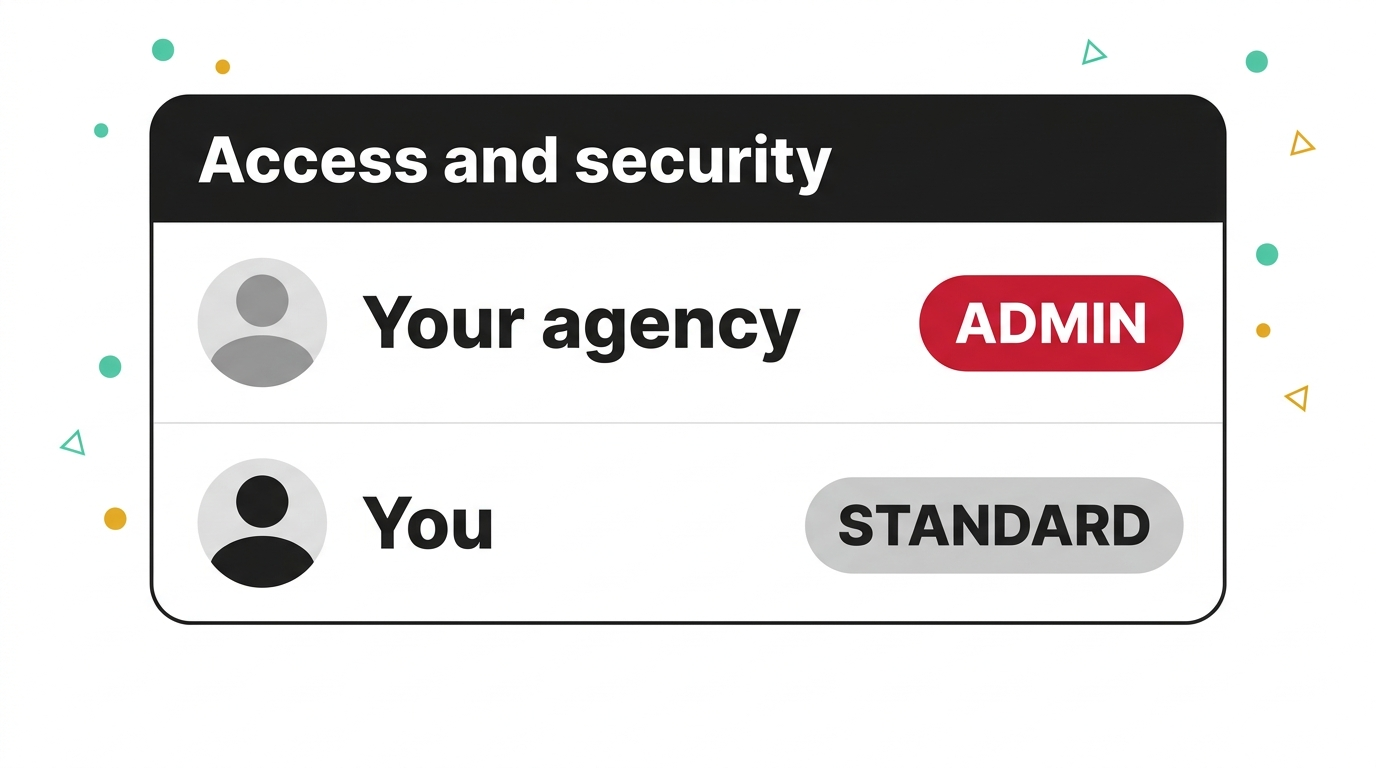
- Sign into Google Ads and go to Admin > Access and security. Look at your own listed access level, not just whether you can log in. You want to see “Admin” next to your own name, not “Standard” or “Read only.”
- Check who else has Admin access. If your agency is listed as Admin and you’re not, that’s the exact situation both business owners found themselves in this month. It doesn’t mean anything’s been misused. It means you’re not actually in control of your own account yet.
What to do if you find you’re not the owner
If the check above turns up a problem, the fix is more straightforward than the panic suggests.
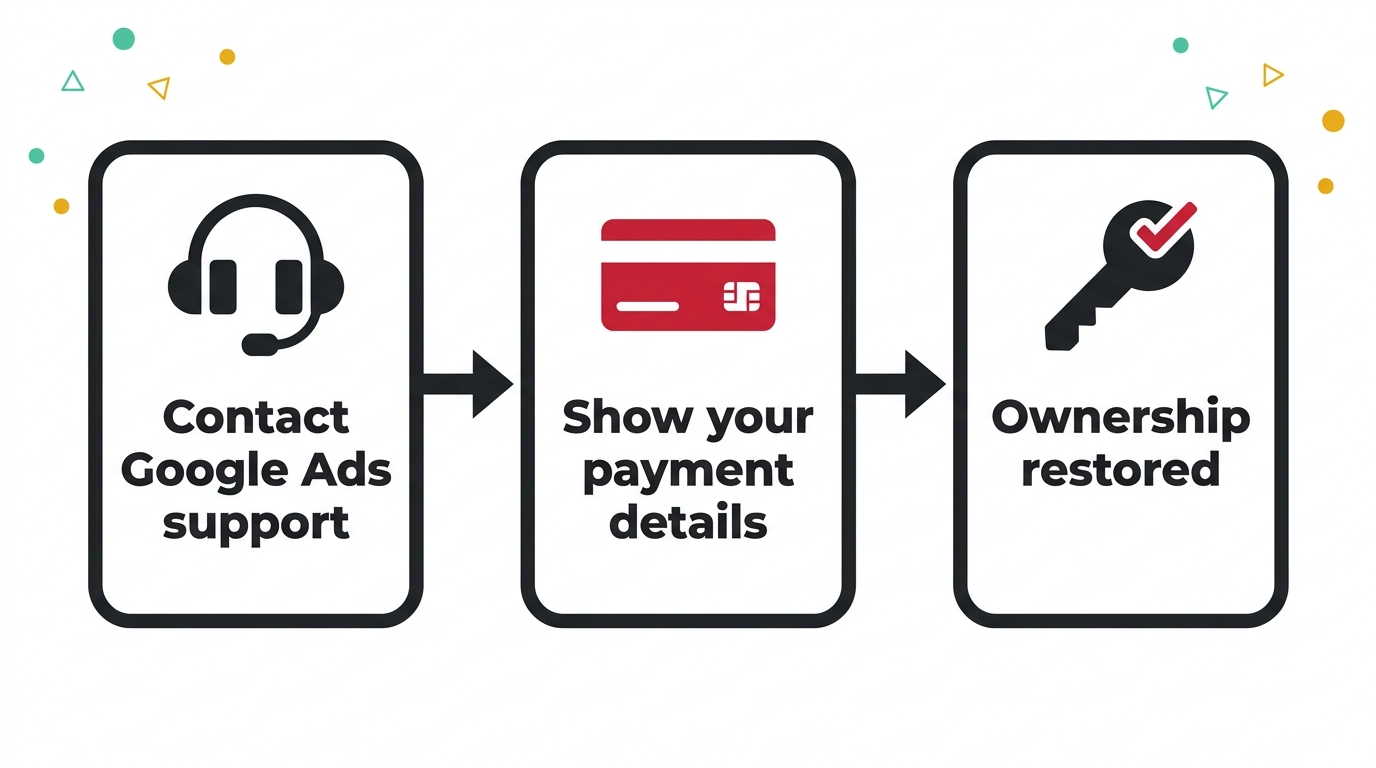
- Contact Google Ads support directly and tell them you’re no longer showing as an owner of your own account. This is a known, handleable situation for them, not an unusual request.
- Have your payment details ready. If your card or bank account is the one funding the account, that’s strong evidence of ownership, and Google support will restore your access on that basis. You don’t need the agency’s cooperation to get your account back.
The bigger point
An agency holding admin access isn’t automatically a red flag on its own. What matters is whether you, the owner, still have it too, and whether you could walk away tomorrow if you needed to. Most owners never check because the account gives them no reason to. The 2 people I spoke to this week only found out when they went looking for the exit.
Go and check today. If your own access says “Standard” or you can’t see yourself listed as an owner at all, that’s worth sorting before it’s ever urgent, not after. It’s the same instinct behind running your account through AI yourself or asking AI what your own account is doing before you ask a human to explain it: checking costs you nothing, and it tells you exactly where you stand. If you’d like a second pair of eyes on the account itself while you’re in there, whether it’s an audit or a straight second opinion from a Google Ads consultant, that’s exactly what I’m here for. You know where I am.
A few questions I get asked
How do I check who owns my Google Ads account? Sign in, go to Admin > Access and security, and look at the list of users and their access levels. Your own name should show “Admin,” not “Standard” or “Read only.” If it doesn’t, you’re not the owner in practice, whatever you assumed.
What’s the difference between admin and standard access? An admin can add, remove and change the access of any other user on the account, including you. A standard user can manage campaigns but can’t touch who else has access. It’s a small setting with a large consequence if it’s set the wrong way round.
Can an agency really end up owning my account? Yes, and usually without anyone intending it. It comes from access levels assigned at setup and never revisited, not from a deliberate takeover. I’ve now heard this from 2 different business owners inside a single week.
What if my agency won’t hand it back? You don’t need their permission. Contact Google Ads support, explain you’re not showing as an owner of your own account, and have your payment details to hand. If your card is on the account, that’s the evidence Google needs to restore your ownership.
2 ways I can help you get this right
If you’ve checked your access and don’t like what you found, or you’d simply like someone to go through the account with you, book a free Google Ads call and I’ll help you work out what to do next.
Or register for my free masterclass, How to Overtake Your Top Google Ads Competitors in 8 Weeks, and I’ll walk you through the whole approach.

Claire Jarrett
Google Ads consultant since 2007, published author (6 books), and Google Partner. Claire was the first person to launch Google Ads training in Europe and has helped thousands of professional service businesses scale their leads.
More about Claire