$8 Leads Became $24 Leads: The Plugin That Switched Off the Tracking
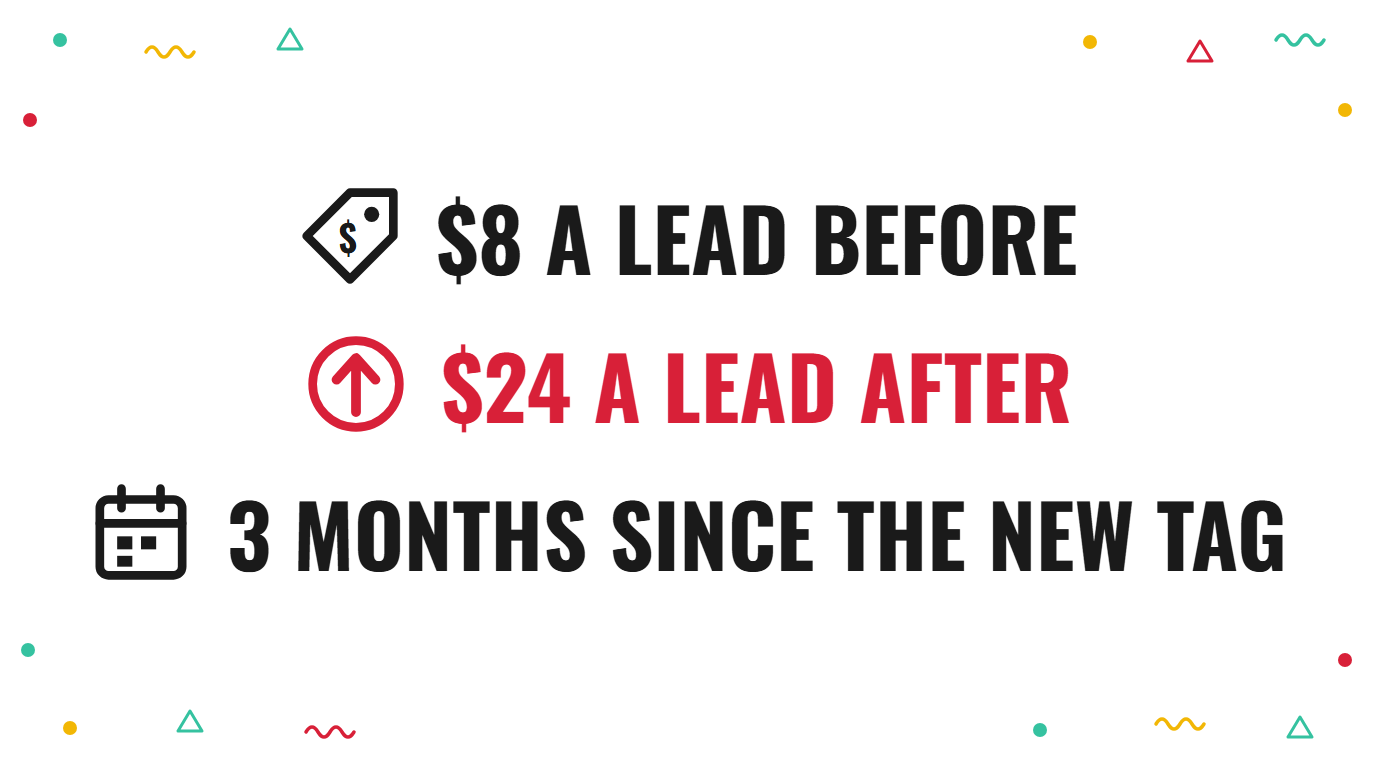
We had a call recently with the owner of a window cleaning franchise. Until this spring his Google Ads brought in leads at somewhere between $6 and $8 each, and he barely had to look at them.
Since the fault, he says he can’t get leads for less than $24. Even his best newer campaign sits at around $17. He has tried a new tag, new campaigns and a different campaign type, and nothing has brought the price back.
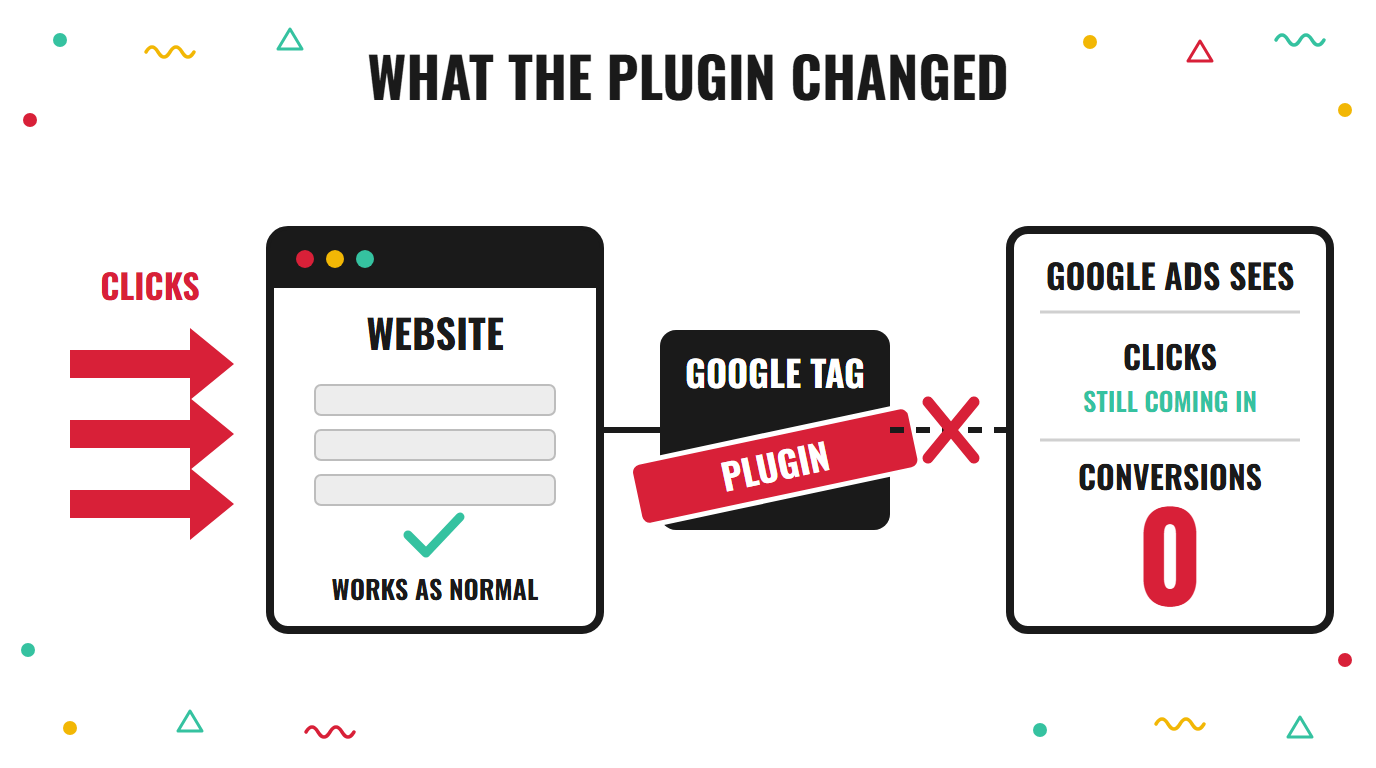
The cause, as he described it, was a plugin he installed to get Microsoft Ads tracking working. It restricted his Google tag, and he didn’t notice for about a month.
What a plugin can do to your Google Ads tag
He wanted to run the same ads on Bing, and the tracking for it wouldn’t work. So he added a WordPress plugin to fix that.
After that, the Google conversion tag stopped reporting. As far as he could tell, the site carried on as normal and the ads kept running.
He only found out when he looked a month later and the account showed no conversions at all.
I can’t say exactly how the plugin blocked the tag, because nobody on our side has looked at his site or his account yet. But a plugin that touches tracking scripts can easily change what loads and when. The tag stops firing, and nothing tells you.
Why Google’s bidding needs the conversion count
Google doesn’t know which clicks were good. It only knows what you tell it, and the conversion count is how you tell it.
On automated bidding, when that count reads 0 for a month, the bidding has nothing to learn from. It keeps spending your budget, but it can no longer tell a person who rings for a quote from a person who just clicked.
A tracking fault doesn’t stop the ads. It stops the ads learning.
That is why the problem stays hidden. The clicks look normal, the spend looks normal, and the damage is usually in who Google chooses to show the ads to.
Why a fresh tag starts from nothing
He did the sensible thing. He installed a new conversion tag, and it works.
But a new tag has no history. Google’s bidding learned over the years which searches and which people turned into jobs, and that learning sat against the old conversion action. After a month of silence it had probably gone stale, and the new one starts at 0.
He put it well himself: you’ve got to train it, and it’s taking forever. By his count it had been running for about 3 months, and the price was still around $24.
I covered something similar in a conversion score that looked fine and was counting the wrong things. The bidding followed whatever it was fed.
Why leads drift out of your area
The other thing he told us was that, when he started checking his call leads, most were from outside his area. He thinks he had set the locations county by county, and they still came.
I can’t say for certain why. But when the system has lost its signal, it has little to tell a nearby lead from a faraway one, so it chases whatever is cheapest to get.
It is also worth checking how the location setting is worded in the account. People in a wider area who have shown an interest in your area can still see your ads, depending on the option chosen.
Meanwhile he also ran a separate set of Local Services ads, at about $1,400 a month, bringing phone leads at around $8 each. Most of those turned into jobs.
Those ads don’t rely on his website tag, so they kept working while the tag didn’t. His own view is that the tracking fault is the one thing he can point to.
How to check your own account for this
- Look at your conversion count by week. If it drops to 0 or falls off a cliff on a particular date while clicks stay the same, something stopped reporting.
- Check the date against your site changes. A new plugin, a theme update or a tag manager edit in the same week is the first place to look.
- Open your conversion actions and read the status. Anything marked “no recent conversions” or “inactive” needs testing with a real form fill or phone call.
- Look at where your leads are coming from. If a large share are outside the area you serve, the bidding may be chasing clicks rather than jobs.
Signs your tracking has quietly stopped
- Spend is steady and results are gone. The budget is being used as normal, but the lead numbers in the account no longer match what the office is hearing.
- You haven’t looked in weeks. He told us the ads had always run well, so he didn’t need to check them often. That is exactly when a fault gets time to settle in.
- A new pixel has not fixed it. A fresh tag works, but it has to build up a record. Expect a slow recovery rather than a quick one.
The bigger point
He had done a lot right. He had built the ads himself, he had a second campaign that was still working, and he had just started checking the call leads one by one.
What he hadn’t had was anyone watching the conversion count. It is a gap I see in a lot of accounts, because the count only matters on the day it stops.
It is close to what I wrote about every wrong lead: the account follows what it’s fed. Feed it nothing, and it guesses.
The same pattern shows up with a target CPA that has too little data to work from. A PPC consultant should be checking this every month.
He also mentioned that some leads weren’t being called back fast enough. That costs jobs too, whatever the ads are doing. If the tracking is wrong and the follow-up is slow, you can’t tell which one is losing you money.
If you want to see what your own account is telling Google, the audit checklist shows where to look first. You know where I am.
A few questions I get asked
Can a WordPress plugin stop my Google Ads tracking? Yes, it can. A plugin that changes how scripts load or what consent is required can stop a conversion tag from firing without any error on the page. I’d test the tag with a real form submission after any plugin change.
How long does it take for Google to learn again after a new tag? It depends on how many conversions come through and how consistent they are. A small account can take several weeks or longer, and during that time the cost per lead may be higher than before.
Should I pause the ads while I fix the tracking? It depends on your margin. If you can afford to, a short pause stops you paying for clicks that Google can’t learn from. If you can’t, keep them running on a tight budget and a tight area, and fix the tag first.
How often should I check my conversion count? Weekly is a good habit, and the day after any change to your website. It takes 2 minutes and it is the number the whole account depends on.
2 ways I can help you get this right
If you want to know where your own ad budget is really going, book a free call and we’ll go through it together.
If you’d rather learn to spot this yourself, my masterclass How to Overtake Your Top Google Ads Competitors in 8 Weeks walks through exactly that.

Claire Jarrett
Google Ads consultant since 2007, published author (6 books), and Google Partner. Claire was the first person to launch Google Ads training in Europe and has helped thousands of professional service businesses scale their leads.
More about Claire