390 Leads at $2 Each: The 2 Tick Boxes That Explain It
I audited an account recently for the owner of a firm that handles large insurance claims for homeowners, the kind that follow storm and fire damage. Big claims, long cases, a small number of clients a year.
His account had recorded 390 conversions in the last 30 days across 3 campaigns. They were coming in at around $2 each.
He was pleased with that, and I understand why. On paper it reads like the best cost per lead in his industry by a distance.
$2 for somebody with a fire damage claim is not a bargain. It’s a warning.
What was really going on
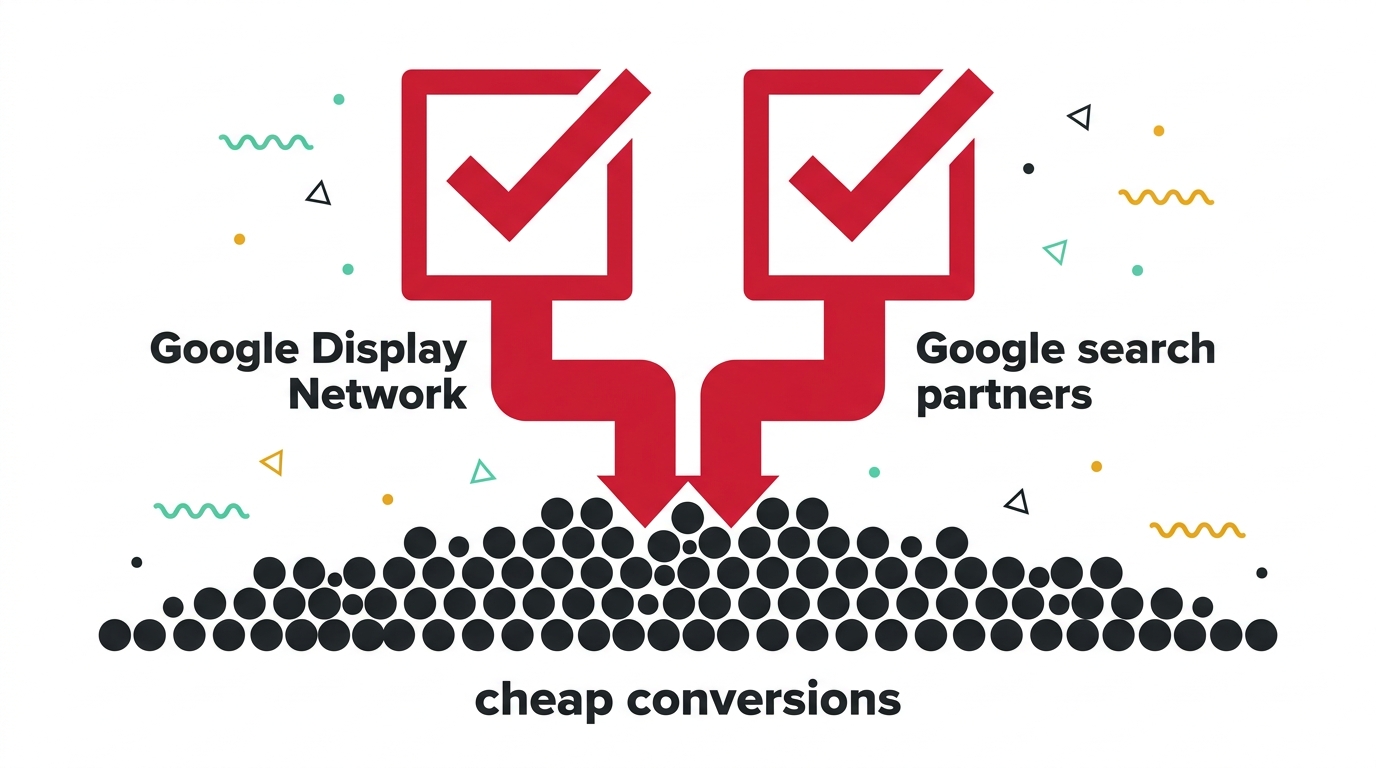
His campaigns were Search campaigns. When you build one, Google presents you with 2 tick boxes, both switched on unless you go and turn them off.
The first adds the Display Network: banner space on millions of apps, blogs and news sites. The second adds search partners: other search engines and sites that run Google’s results.
Neither of those is somebody typing your service into Google. They’re people scrolling something else, and occasionally tapping an ad by accident on a phone.
Display traffic is enormous and it is cheap, so a campaign told to bring in conversions as cheaply as possible will go there first, every time. That’s not Google misbehaving. It’s Google doing exactly what the settings ask.
The search terms gave it away
When I opened the search terms report, almost nothing there was a person with a claim. It was anything loosely adjacent to the words in his ads, plus a long list of placements that were never searches at all.
The owner had already added 190 negative keywords himself. He’d worked out that irrelevant traffic was a problem and he’d gone at it properly, which is more than most people do.
It hadn’t helped, and it was never going to. Negative keywords work on searches. A tap on a banner inside a mobile game is not a search, so there is no term for your negative to block.
He’d been fixing the account with the only tool he knew about, on the one part of it that tool cannot reach.
That’s the quiet damage here. A cheap cost per lead makes an account look successful enough that nobody digs, and the owner spends his effort on the part he can see.
Why cheap conversions are worth suspecting
There’s a rough rule I use: your cost per lead should look sensible next to what a client is worth to you.
A firm handling claims worth tens of thousands of dollars should expect to pay properly for somebody who has one. When a lead costs less than a sandwich, the question is not how to get more of them. It’s what they actually are.
I said something similar about a wealth firm that was worried its leads were expensive, when the real number in that business made $500 for the right lead look cheap. The direction of the mistake was opposite. The cause was the same, which is judging a lead by its price and not by what it turns into.
How to check this in your own account, in about a minute
- Open a campaign, go to Settings, and find Networks. You’ll see the 2 tick boxes. On a Search campaign for a service business, I turn both off. Search partners is arguable and some accounts do fine with it. Display inside a Search campaign is almost never what anyone intended.
- Then look at where your conversions came from. Add the Network column to your campaign report, or segment by network. If a large share of your conversions sit under Display, you have your answer, and your true cost per real enquiry is a very different number to the one on the dashboard.
What to do once you’ve turned them off
- Expect your reported numbers to get worse, and your business to get better. Conversions will drop and cost per conversion will rise, sometimes sharply. That’s the fake volume leaving. The leads that remain are the ones that were always doing the work.
- Give the bidding time to recover. A strategy that has spent months learning from junk conversions has learned the wrong thing. It needs a few weeks of clean data before its decisions are worth much, and it is worth rebuilding the conversion action properly at the same time so it’s learning from real enquiries.
- Run Display separately, if you want it at all. It has a job, mostly reminding people who already visited you. That’s a different campaign with a different budget and its own expectations, not a passenger inside your search budget.
The bigger point
Almost every account I open has something in it that nobody chose. A default left on. A setting that made sense for the person who built it 3 years ago and nobody has questioned since.
The reason these survive is that they rarely look like problems. This one looked like a triumph. 390 conversions and a cost per lead his competitors would envy.
The tell was never in the reporting. It was in the mismatch between what a client is worth to that business and what his leads apparently cost, and mismatches like that are worth chasing down every time.
It’s the same instinct behind asking why an account is full of unqualified callers, or why 10 new customers a month were all people who already knew the business. Something in the numbers doesn’t fit, and the answer is usually a setting rather than a strategy.
If you want a second pair of eyes on yours, that’s exactly what a Google Ads consultant should be doing before recommending anything at all. You know where I am.
A few questions I get asked
Is the Display Network always a bad idea? Not at all. It does a specific job well, which is putting you back in front of people who have already been to your site. What it cannot do is find you new customers who are actively looking for your service, because nobody on Display is looking for anything. The problem is never Display itself, it’s Display quietly spending a search budget.
Should I turn search partners off as well? I usually do, then test it. Search partners is genuinely mixed: some accounts get perfectly decent traffic from it, others get very little worth having. Unlike Display, it’s worth checking your own data rather than assuming. Segment by network, look at what converted, and decide from that.
My agency set the account up. Wouldn’t they have turned this off? A good one would, and plenty do. It’s also one of the most common things I find still switched on, usually in accounts built quickly by someone who was working through a checklist. It isn’t evidence of anything sinister, and it is worth checking yourself rather than assuming, in the same way it’s worth checking who owns the account.
My conversions dropped 80% after I turned Display off. Did I break something? No, you measured something. The 80% that disappeared was never contacting you. If your enquiries, calls and sales stay roughly where they were while the reported conversions fall off a cliff, that’s the confirmation, not the problem.
2 ways I can help you get this right
If you’d like me to look at where your conversions are genuinely coming from, book a free call and I’ll go through the account with you.
If you’d rather learn to spot these settings yourself and run an account that isn’t quietly funding banner taps, my masterclass How to Overtake Your Top Google Ads Competitors in 8 Weeks walks through exactly that.

Claire Jarrett
Google Ads consultant since 2007, published author (6 books), and Google Partner. Claire was the first person to launch Google Ads training in Europe and has helped thousands of professional service businesses scale their leads.
More about Claire